> For the complete documentation index, see [llms.txt](https://docs.uniot.io/llms.txt). Markdown versions of documentation pages are available by appending `.md` to page URLs; this page is available as [Markdown](https://docs.uniot.io/platform/sandbox/visual-editor/functions.md).
# Functions
Functions let you organize code into reusable blocks. Create custom functions with parameters and return values to break down complex logic into manageable, reusable components.
## function definition
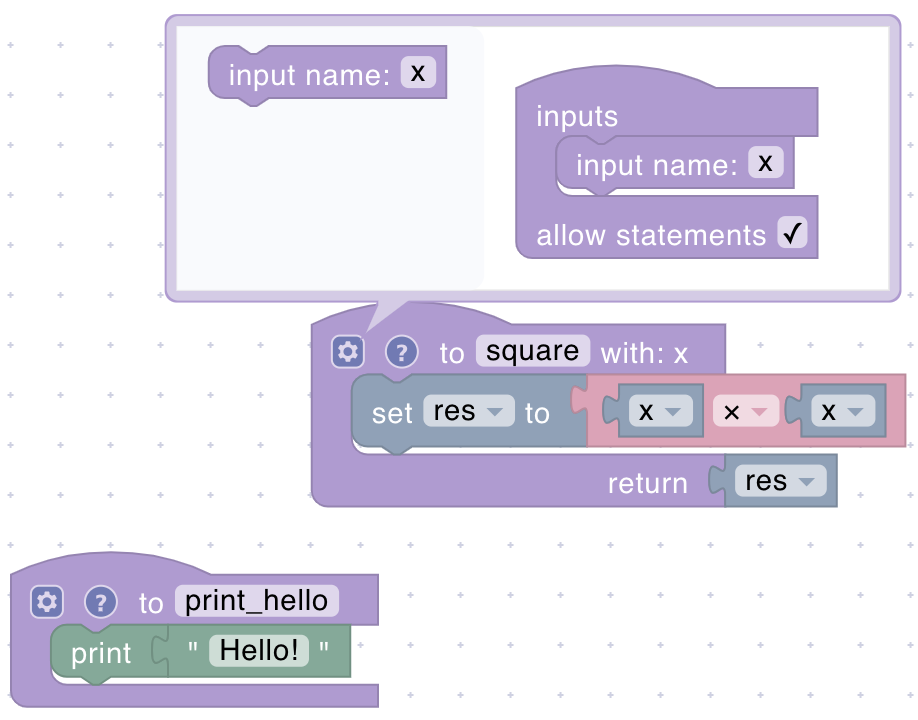
Defines a new function that can be called from anywhere in your script. Click the gear icon to add parameters and configure the return value.
**Configuration:**
* **Function Name**: A unique identifier for your function
* **Parameters** (Optional): Input values the function accepts
* **Return** (Optional): Enable to make the function return a value
**Example uses**: Calculating averages, converting units, validating sensor ranges, or any logic you use multiple times.
## function call
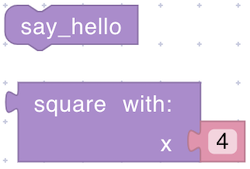
Executes a previously defined function. Provide values for any parameters the function expects.
**Parameters:**
* **Function**: Select which function to call
* **Arguments**: Values matching the function's parameter list
**Returns:**
* **Any**: The function's return value if configured, otherwise performs actions without returning a value